

Finding your next Dynamics 365 Customer Engagement or Power Platform role takes more than hitting “Apply” and waiting. This is the system I use. It works.
A note on my situation: I target aggressive rates ($105+/hr C2C) and need the flexibility to work overseas 3-4 weeks at a time, a few times per year, with 2-3 hours of US overlap. That combination makes my search harder than most. The system still works. It just takes more conversations to find the right fit.
I’m writing this with 10 years of experience in the space. If you’re newer, the same tactics apply. You’ll need to adjust your messaging and lean harder on the networking steps.
Step 1: Set Up Your Search Query
LinkedIn’s job search accepts boolean operators. Most people don’t use them. That’s an advantage for you.
Here’s the query I use:
("D365" OR "Dynamics 365" OR "Dynamics CRM" OR "MS Dynamics" OR "Microsoft Dynamics" OR "Power Platform" OR "Power Apps") NOT "Pre-Sales" NOT "Presales" NOT "Manager" NOT "Deloitte" NOT "PwC" NOT "Jobs via Dice" NOT "Lensa" NOT "Finance" NOT "F&O" NOT "ERP" NOT "X++" NOT "SCM" NOT "F&SCM" NOT "Supply Chain" NOT "Dynamics GP" NOT "Project Operations" NOT "Director" NOT "Vice President" NOT "Business Central" NOT "BC" NOT "M365" NOT "Microsoft 365" NOT "Junior" NOT "Analyst" NOT "BSA" NOT "Quality Assurance" NOT "Tester" NOT "Tutor" NOT "Administrator" NOT "Manager" NOT "Secret Clearance"Copy this into LinkedIn Jobs search. The exclusions filter out F&O/ERP roles, big consulting firms with slow hiring processes, job aggregator spam, and positions that aren’t a fit.
Tailor the NOT clauses to your situation. Want F&O work? Remove those exclusions. Open to Business Central? Take those out.

Step 2: Apply, Then Reach Out Directly
Submit your application. Then do what most candidates skip.
If the job listing shows a hiring manager or recruiter: Send a connection request with a note.
If you see their email: Email them directly.
If there’s a phone number: Call.
Yes, call. It feels uncomfortable. That’s the point. Most people won’t, which means the ones who do stand out.
Templates: First Contact
I send similar messages to most people, adjusting the name and role. Maybe 90% stays the same. Here are the templates I rotate through:
LinkedIn connection – with a specific role:
LinkedIn connection – no specific role (general inquiry):
LinkedIn connection – role outside your experience:
Email – first contact with phone availability:
I came across the ROLENAME position and wanted to reach out directly. Based on my background with 10 years in Dynamics 365, including cutting a 25-minute process to 2 minutes through plugin architecture and leading Copilot implementations at the VA, it seems like there could be a fit here. Would it make sense to have a brief conversation to explore this further? I’m available weekdays 10am-12pm or 2-4pm EST at (222) 444-8888.
Tony
Responding to inbound recruiter outreach:
Declining a role that’s not a fit:
Tailor by Role Type
| Role | Achievement to Highlight |
|---|---|
| Functional Consultant | Business process improvements, requirements gathering wins |
| Technical Developer | Performance optimization, plugin architecture, integration work |
| Lead Developer | Team coordination, architecture decisions, mentoring |
| Architect | System design, scalability solutions, cross-platform strategy |
Pick the achievement that matches the role.
Step 3: Work Your Existing Network
Your next contract might come from someone you already know.
Build a Contact Tracker
Create a spreadsheet with everyone worth reaching out to. Here are the columns I use:
| First Name | Last Name | Phone | Type | Communication Preference | Company | Last Interaction | Description | ||
|---|---|---|---|---|---|---|---|---|---|
| [Name] | [Name] | [email] | Recruiter | Call/LinkedIn | [Staffing Agency] | 2/9/2026 | Placed me on a contract with [Client]. $XXX/hr. Was able to work overseas with 2-3 hour overlap. | [LinkedIn URL] | |
| [Name] | [Name] | [email] | Recruiter | Text/call/email | [Agency] | 2/7/2026 | Placed on [Client] contract for 2.2 years | ||
| [Name] | [Name] | Former Coworker | [Company] | 1/15/2026 | Worked together on D365 Sales implementation | [LinkedIn URL] |
The “Communication Preference” column matters. Some recruiters prefer calls. Others live in LinkedIn messages. Track what works for each person.
Templates: Network Outreach
General inquiry to a recruiter (this one works well):
For recruiters who know about your travel constraints:
Recruiter follow-up when contract is ending:
Asking a former coworker for recruiter connections:
Other places to mine contacts:
- Your phone. Text or call past colleagues.
- Email history with recruiters.
- LinkedIn connections you haven’t messaged in a while.
Step 4: Handle Rate and Logistics Conversations
These come up fast. Have your responses ready.
When asked “Contract or perm?”:
Work style note: I maintain US business hours year-round, with about four weeks annually remote from Southeast Asia (still 2+ hours daily overlap).
What kind of flexibility do your clients typically have for contract roles?
When the rate is too low:
I want to be upfront because I respect your time. The opportunities I’m actively considering are in the $XX-XX hourly range on W2.
How much flexibility exists in the rate for someone who can deliver immediate impact on this project?
When you need to share travel dates:
Step 5: Mark Your Profile “Open to Work”
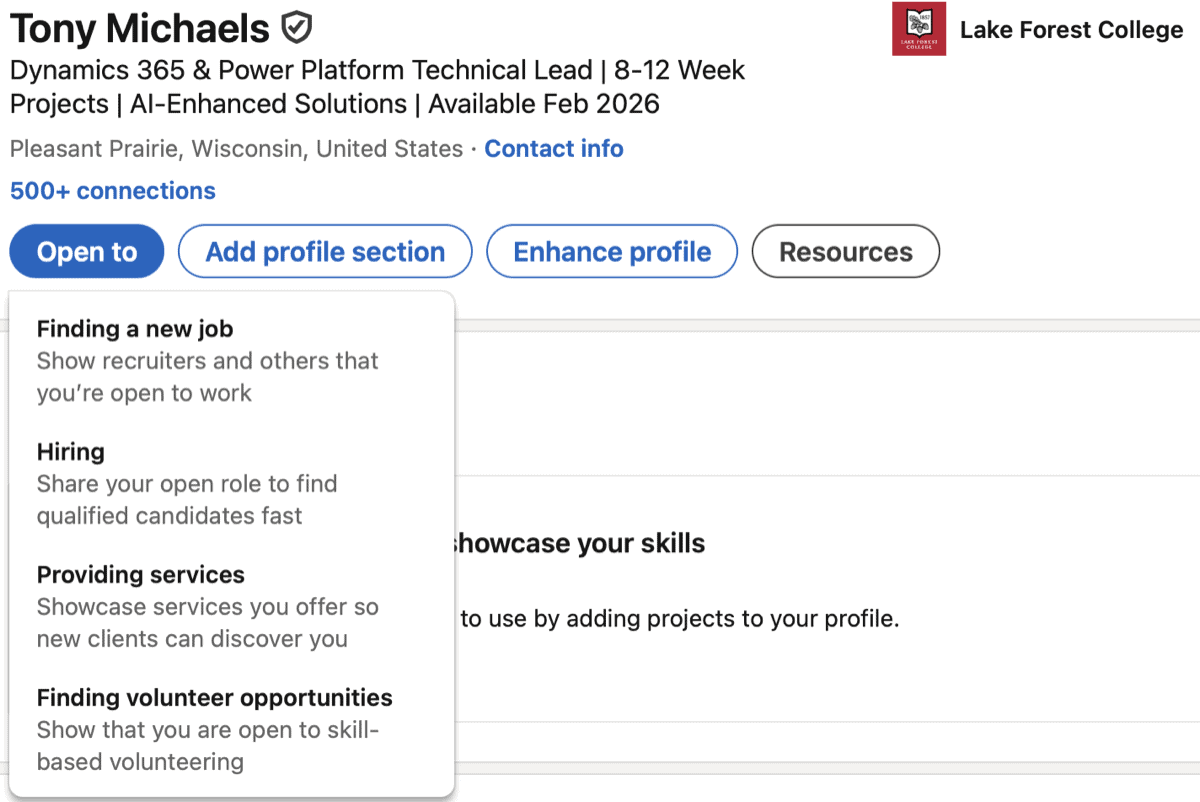
Turn on LinkedIn’s Open to Work feature. Make a post about it. Then make another one next week.
Weekly posts keep you visible in feeds. Different angles catch different people.
Here’s a template:
10 years in the ecosystem. Copilot Studio, plugin architecture, enterprise integrations.
If your team cares more about what gets delivered than rigid hours, let’s connect.
Vary it. Different weeks, different focus. One week lead with AI skills, another week lead with performance optimization.
Step 6: Track What You’ve Applied To
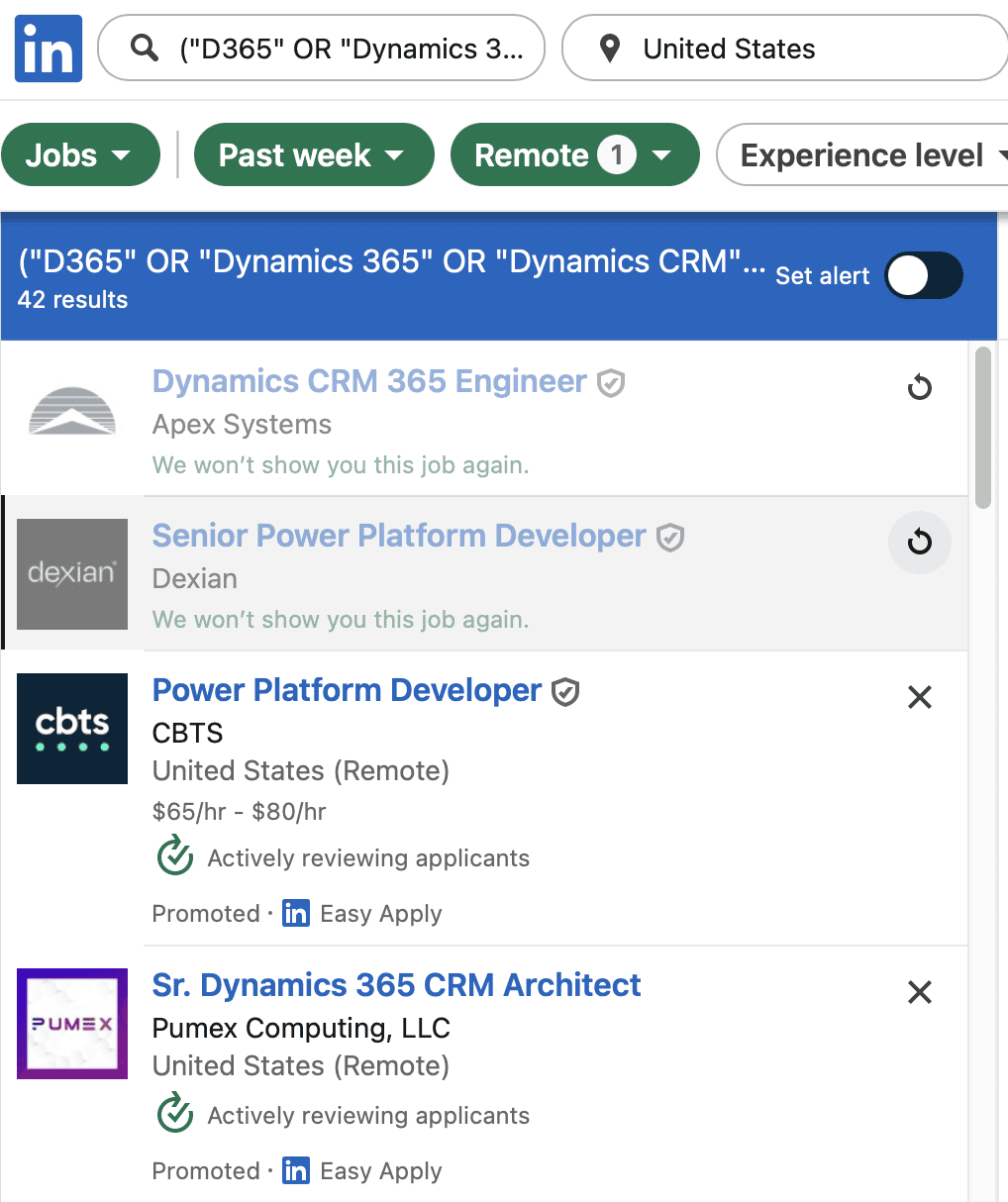
LinkedIn’s Easy Apply and external applications blur together fast. Here’s a simple fix.
After applying, click the X on the left side of the job listing to dismiss it. This grays out the job. Now you have a clear visual indicator that you’ve already applied.
No more wondering “did I apply to this one already?”
Step 7: Get References Ready
Some applications ask for references. Line these up before you need them.
Reach out to 2-3 former coworkers, managers or directors. Ask if they’d be willing. Confirm their current contact info.
Having this ready prevents scrambling when an opportunity moves fast.
Step 8: Start Before You Need To
The best time to warm up recruiters is 1-2 months before you actually need work.
Relationships take time. Interviewing is a skill that gets rusty. If you haven’t interviewed in a year, your first few will feel rough. That’s normal. The only way to get better is more reps. By your fourth or fifth interview, you’ll be sharper.
If your contract ends in two months, start now. By the time you’re available, you’ll have conversations in motion and your interview skills will be warmed up.
Step 9: Upskill While You Search
Searching for work creates gaps. Fill them.
Pick one D365 or Power Platform certification to study for. The studying keeps your skills sharp and gives you something concrete to mention in interviews.
Some options:
| Certification | Focus Area |
|---|---|
| PL-400 | Power Platform Developer |
| MB-210 | Dynamics 365 Sales |
| MB-230 | Dynamics 365 Customer Service |
| PL-600 | Power Platform Solution Architect |
“Currently studying for PL-400” still signals investment in your craft. You don’t need to pass before you start interviewing.
Step 10: The Results
On average, I have 1-2 interviews per day. Sometimes 3-4.
If you’re currently working, this pace is incredibly tough. Finding time to talk to recruiters and apply while delivering on your current contract is a real challenge. I get it. I didn’t do this as well as I’m recommending when I was still on my last engagement.
If that’s your situation: become available at lunch and carve out one hour before your work day ends. That’s enough to keep momentum.
After 14-28 days of doing everything in this post, I have 2 potential 1099 contracts lined up and 1-2 full-time opportunities that are close to an offer. This has been my most aggressive outreach season. The results came.
They will for you too.
The System, Summarized
- Set up a filtered boolean search query
- Apply, then reach out directly to hiring managers
- Work your existing network with a contact tracker
- Have rate and logistics responses ready
- Turn on Open to Work and post weekly
- Track applications by dismissing applied jobs
- Line up references before you need them
- Start 1-2 months before your contract ends
- Pick one certification to study during the search
- Trust the process – results come in 14-28 days